Concept and Architecture - Android
VideoSDK is a software development kit that offers tools and APIs for creating apps that are based on video and audio. It typically includes features such as video and audio calls, chat, cloud recording, simulcasting (RTMP), interactive live streaming (HLS), and many more across a wide range of platforms and devices.
Concepts
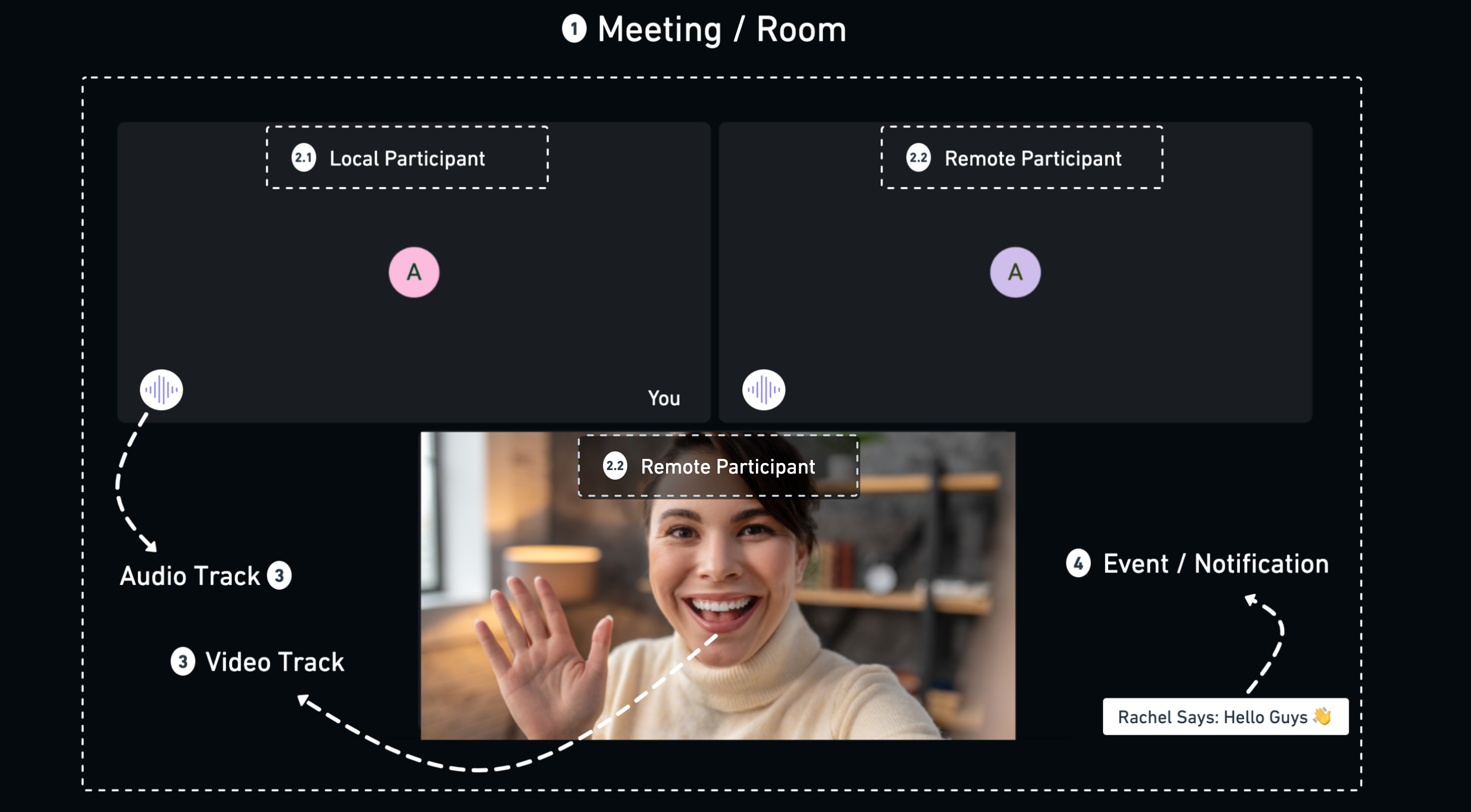
1. Room
-
A room in VideoSDK provides a virtual place for participants to interact and engage in real-time voice, video, and screen-sharing sessions. It handles media streams and participant communication. In the Android SDK, a room is the
Roomclass. -
A room can be uniquely identified by its
roomId, available asroom.id.
2. Participant
-
Participant is a VideoSDK object that represents each user/client in the room and allows them to share audio/video assets.
-
2.1 Local Participant: The local participant is the one that runs on the user's device. The local participant has control over their own media streams, including the ability to start and stop audio and video.- The local participant in a room can also connect with other participants by transmitting and receiving audio and video streams, exchanging chat messages, and more.
-
2.2 Remote Participant: The remote participant receives audio and video streams from the local participant and other remote participants and also has the ability to exchange audio, video, and chat messages with the local participant. -
Each participant in VideoSDK can be uniquely identified by
participantId.
3. RTCStream & Track
-
A track is a continuous flow of audio or video data, such as the frames from a camera or the samples from a microphone.
-
In the Android SDK, each media a participant publishes is a separate
RTCStreamthat carries one track: their microphone, camera, screen share or screen-share audio.stream.kindtells you which one it is. -
You receive a participant's streams in
ParticipantEventListener.onStreamEnabled()andonStreamDisabled().
4. Events / Notifications
- The SDK reports what happens in a room through listeners:
RoomEventListenerfor the room (participants joining and leaving, recording, messages, errors ononError) andParticipantEventListenerfor one participant's streams.
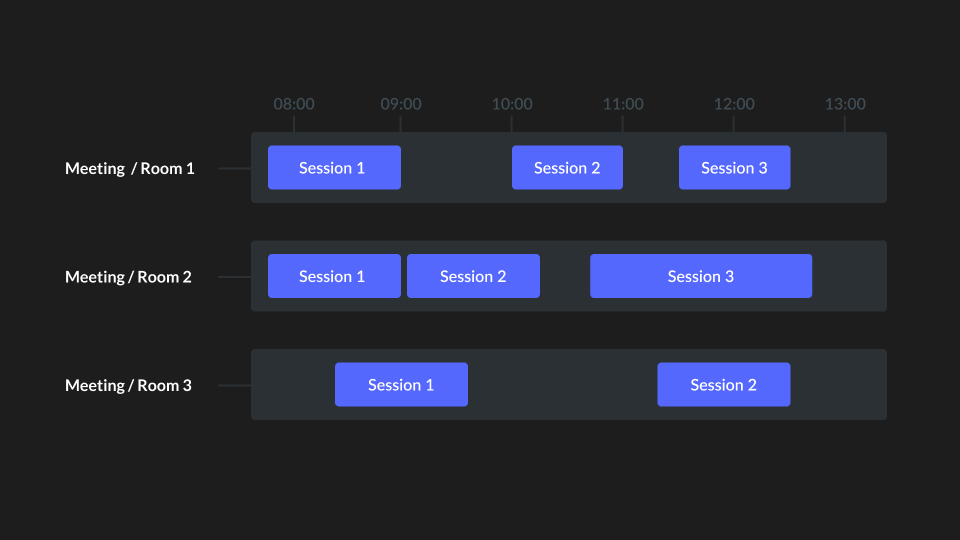
5. Session
- A Session is the instance of an ongoing room which has one or more participants in it. A single room can have multiple sessions.
- Each session can be uniquely identified by
sessionId.
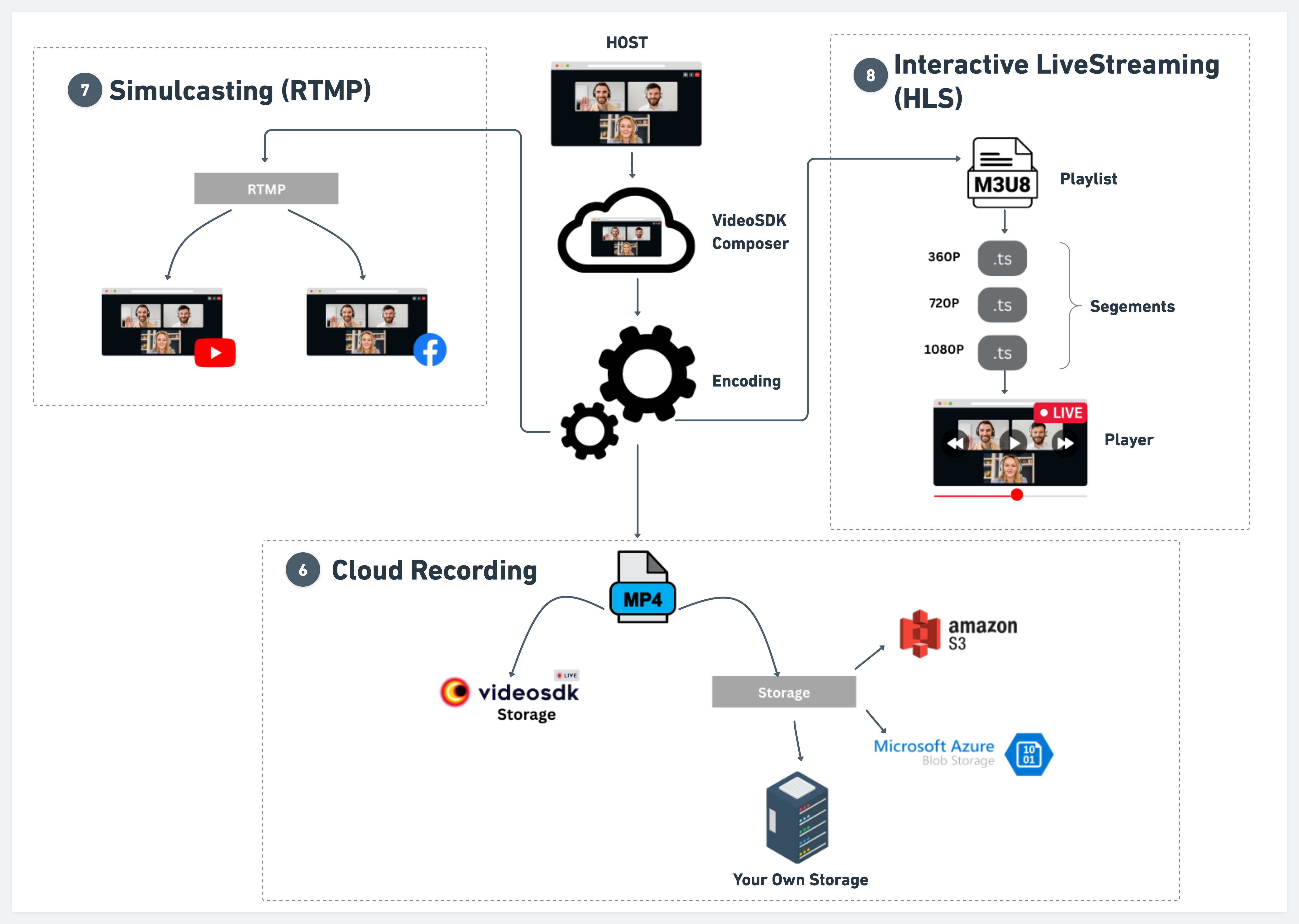
6. Cloud Recording
- Cloud recording in VideoSDK refers to the process of recording audio or video content and storing it on a remote server or VideoSDK server.
7. Simulcasting (RTMP)
- RTMP is a popular protocol for live streaming video content from VideoSDK to platforms such as YouTube, Twitch, Facebook, and others.
- By providing the platform-specific
stream keyandstream URL, the VideoSDK can connect to the platform's RTMP server and transmit the live video stream.
8. Interactive Live Streaming (ILS)
-
Interactive Live Streaming (ILS) is a low-latency live streaming experience where viewers can actively engage with the host and participate in the live stream in real time.
-
In an interactive live stream (ILS), participants join a room with different modes (
SEND_AND_RECVfor hosts,RECV_ONLYfor the audience). Hosts can publish audio/video and promote or demote audience members during the stream, allowing viewers to participate in activities such as live polling, Q&A sessions, and sending virtual gifts.
9. HTTP Live Streaming (HLS)
-
HTTP Live Streaming (HLS) is a live streaming protocol that delivers video over HTTP using
.m3u8playlists and media segments, making it suitable for distributing live content to large audiences. -
In an HTTP live stream (HLS), hosts can publish audio/video, while viewers can participate in activities such as live polling, Q&A sessions, and sending virtual gifts.
Architecture
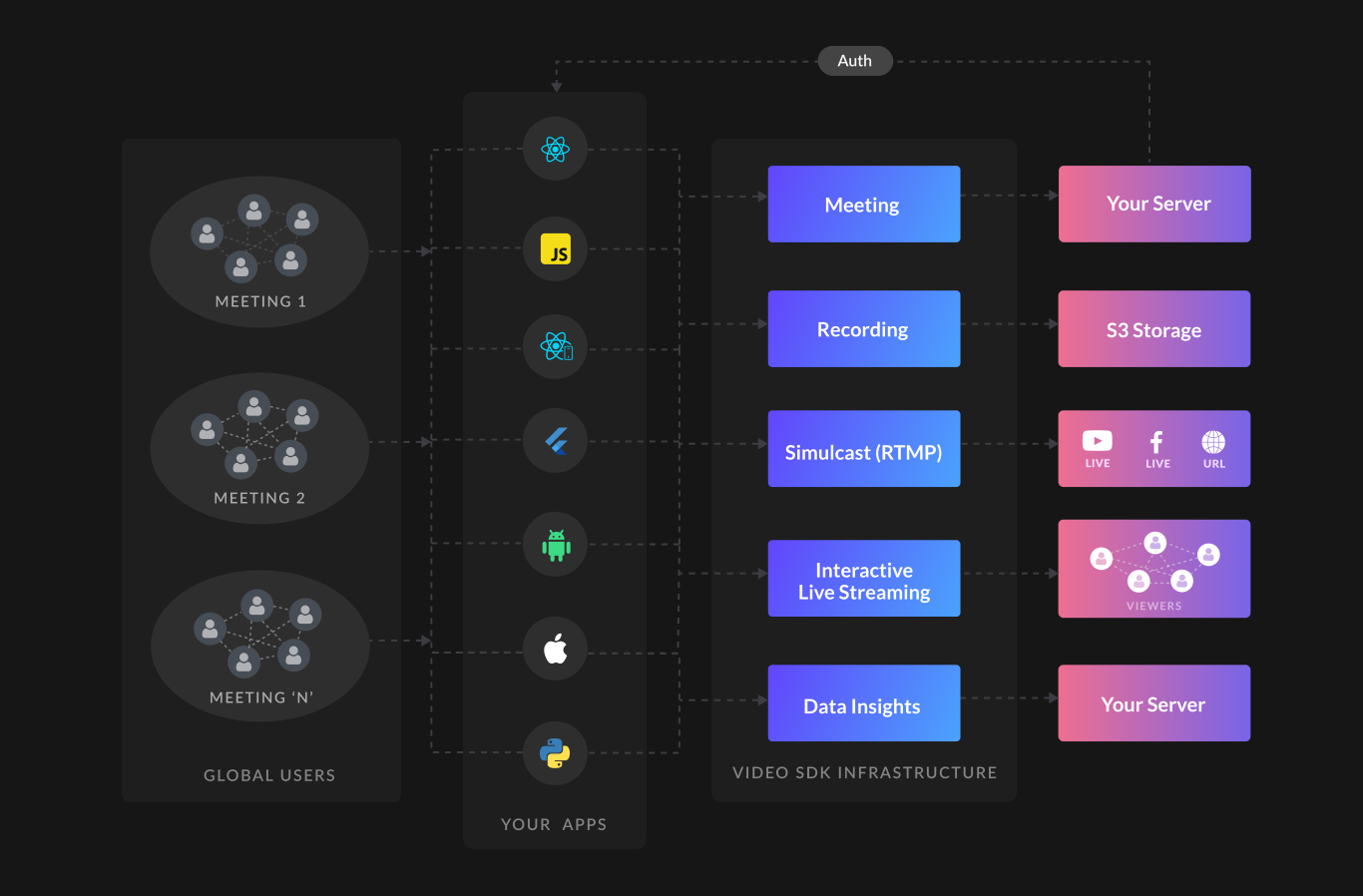
This diagram demonstrates end-to-end flow to implement video & audio calls, record calls, and go live on social media.
Got a Question?  Ask us on discord

