Reactions during Live Stream - Android
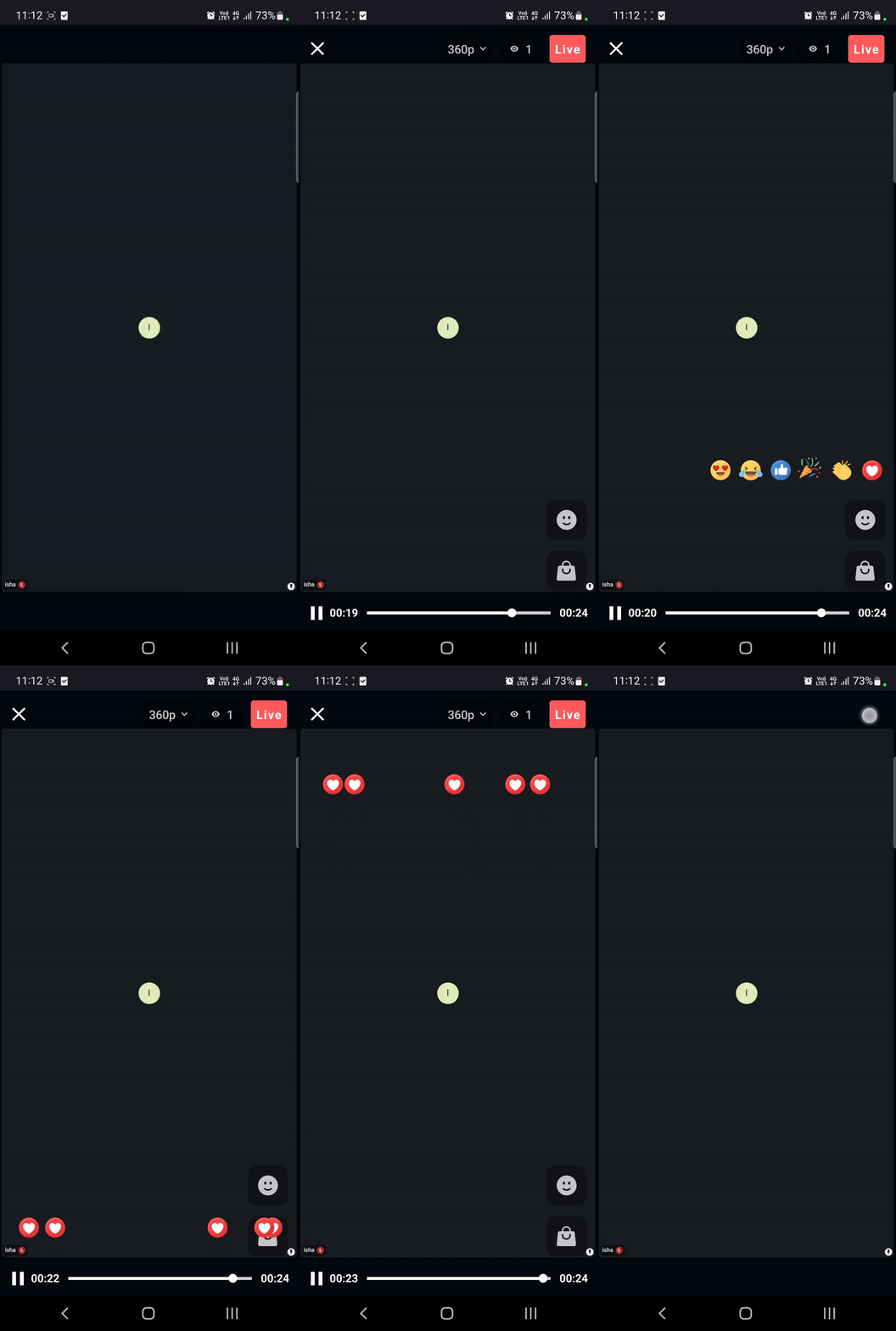
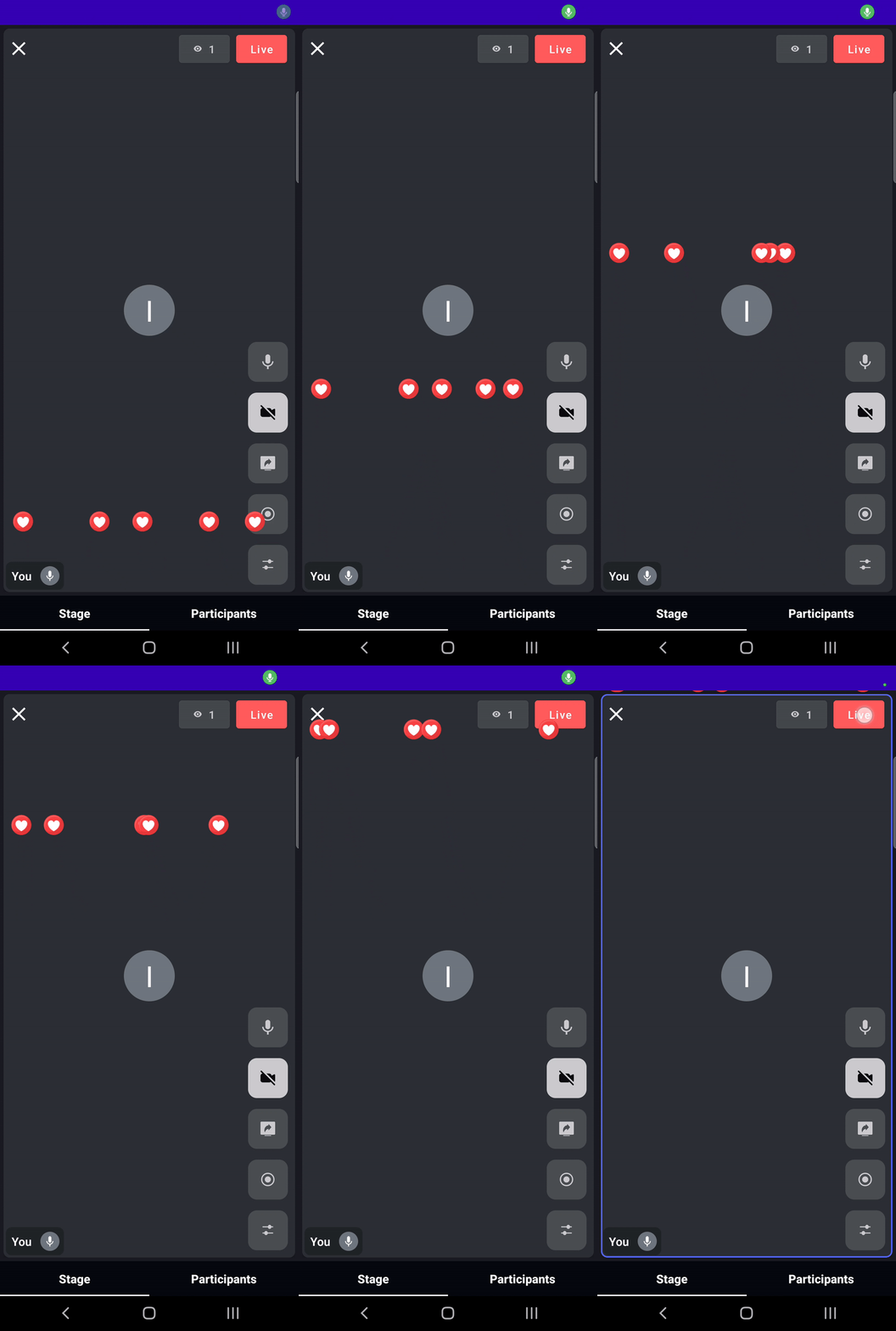
To increase interaction between viewers and speakers during a livestream, you can show viewers' reactions to everyone as flying emojis, as seen in livestreams on platforms like Instagram.
This guide explains how to implement this using the VideoSDK PubSub mechanism.
Step 1: Creating a button to send reaction
To implement this functionality, start by creating a button that sends reactions to all users. When Button is clicked we will send the emoji name to all the participants using the VideoSDK PubSub mechanism and also show the emoji on the sender's screen.
publish() is a suspend function, so call it from a coroutine. It returns once the server has the message, and throws a VideoSDKException when the livestream is not joined yet, is reconnecting, or the message could not be sent, so catch it.
class LiveStreamActivity : AppCompatActivity() {

  override fun onCreate(savedInstanceState: Bundle?) {
    super.onCreate(savedInstanceState)
    //...
    findViewById<View>(R.id.btnReaction).setOnClickListener {
        showEmoji(resources.getDrawable(R.drawable.love_eyes_emoji))
        lifecycleScope.launch {
            try {
                liveStream!!.pubSub.publish("REACTION", "love_eyes")
            } catch (e: VideoSDKException) {
                Log.e("VideoSDK", "Reaction not sent: ${e.code} ${e.name}")
            }
        }
    }
  }

  private fun showEmoji(drawable: Drawable?) {
    // we will implement this method in step 2
  }
}
Step 2: Displaying the Reactions to all the users
Here we will listen to the onMessageReceived event of PubSubMessageListener to know when someone sends a reaction, and show the flying emoji whenever it is triggered.
- Your own reactions also arrive on
onMessageReceived. Step 1 already shows them, so skip the messages whosesenderIdis your own participant ID. subscribe()needs a joined room, so subscribe fromonRoomJoined(), and add that listener before you calljoin(). Called earlier,subscribe()throws aVideoSDKException.subscribe()is asuspendfunction, so launch a coroutine fromonRoomJoined().
To display the flying emoji, we are using DirectionGenerator class to specify direction and ZeroGravityAnimation class to give animation to the flyingEmoji.
Copy the DirectionGenerator, ZeroGravityAnimation and OverTheTopLayer classes from our code sample.
class LiveStreamActivity : AppCompatActivity() {

  private val emojiListener = object : PubSubMessageListener {
    override fun onMessageReceived(message: PubSubMessage) {
      // Your own reactions come back too, and step 1 already showed them
      if (message.senderId == liveStream!!.localParticipant.id) return
      when (message.message) {
        //Showing other participants reactions
        "love_eyes" -> showEmoji(resources.getDrawable(R.drawable.love_eyes_emoji))
      }
    }
  }

  override fun onCreate(savedInstanceState: Bundle?) {
    super.onCreate(savedInstanceState)
    //...
    liveStream!!.addEventListener(object : RoomEventListener() {
      override fun onRoomJoined(switchRoomId: String?) {
        //Subscribing to the PubSub topic REACTION to receive other participants reactions.
        lifecycleScope.launch {
          try {
            liveStream!!.pubSub.subscribe("REACTION", emojiListener)
          } catch (e: VideoSDKException) {
            // 3073 means this listener is already subscribed, for example after a rejoin
            Log.e("VideoSDK", "Reaction subscribe failed: ${e.code} ${e.name}")
          }
        }
      }
    })
  }
}
private fun showEmoji(drawable: Drawable?) {
    // You can change the number of emojis that will be flying on screen
    for (i in 0..4) {
        flyObject(
            drawable,
            3000,
            DirectionGenerator.Direction.BOTTOM,
            DirectionGenerator.Direction.TOP,
            1f
        )
    }
}

private fun flyObject(
    drawable: Drawable?,
    duration: Int,
    from: DirectionGenerator.Direction?,
    to: DirectionGenerator.Direction?,
    scale: Float
) {
    val animation = ZeroGravityAnimation()
    animation.setCount(1)
    animation.setScalingFactor(scale)
    animation.setOriginationDirection((from)!!)
    animation.setDestinationDirection((to)!!)
    animation.setImage(drawable)
    animation.setDuration(duration)
    animation.setAnimationListener(object : Animation.AnimationListener {
        override fun onAnimationStart(animation: Animation) {}
        override fun onAnimationEnd(animation: Animation) {}
        override fun onAnimationRepeat(animation: Animation) {}
    })
    viewerEmojiHolder!!.bringToFront()
    animation.play(mActivity, viewerEmojiHolder)
}
Here viewerEmojiHolder is a FrameLayout. You can change it according to your requirement.
API Reference
The API references for all the methods and events utilised in this guide are provided below.
Got a Question?  Ask us on discord

