caution
Authentication and Token
VideoSDK uses access tokens for authentication. Using our dashboard (app.videosdk.live), anyone can generate access tokens tokens with an API key and secret pair.
- Your backend server will generate access tokens using API Key and secret.
- Your client obtains token from your backend server.
- Your client will pass the token to VideoSDK server.
- VideoSDK client sdk will conncts to the VideoSDK server with available token.
- VideoSDK server will validate the token and accpets your incoming connection.
Here is the simple sequence diagram represents the authentication.
sequenceDiagram Your App Client->>Your App Server: Request for token; activate Your App Server; Note left of Your App Server: Generate token; Your App Server-->>Your App Client: Received token; deactivate Your App Server; Your App Client->>VideoSDK Server: Request to establish connection; activate VideoSDK Server; Note left of VideoSDK Server: Validates Token; VideoSDK Server-->>Your App Client: Connection established; deactivate VideoSDK Server;
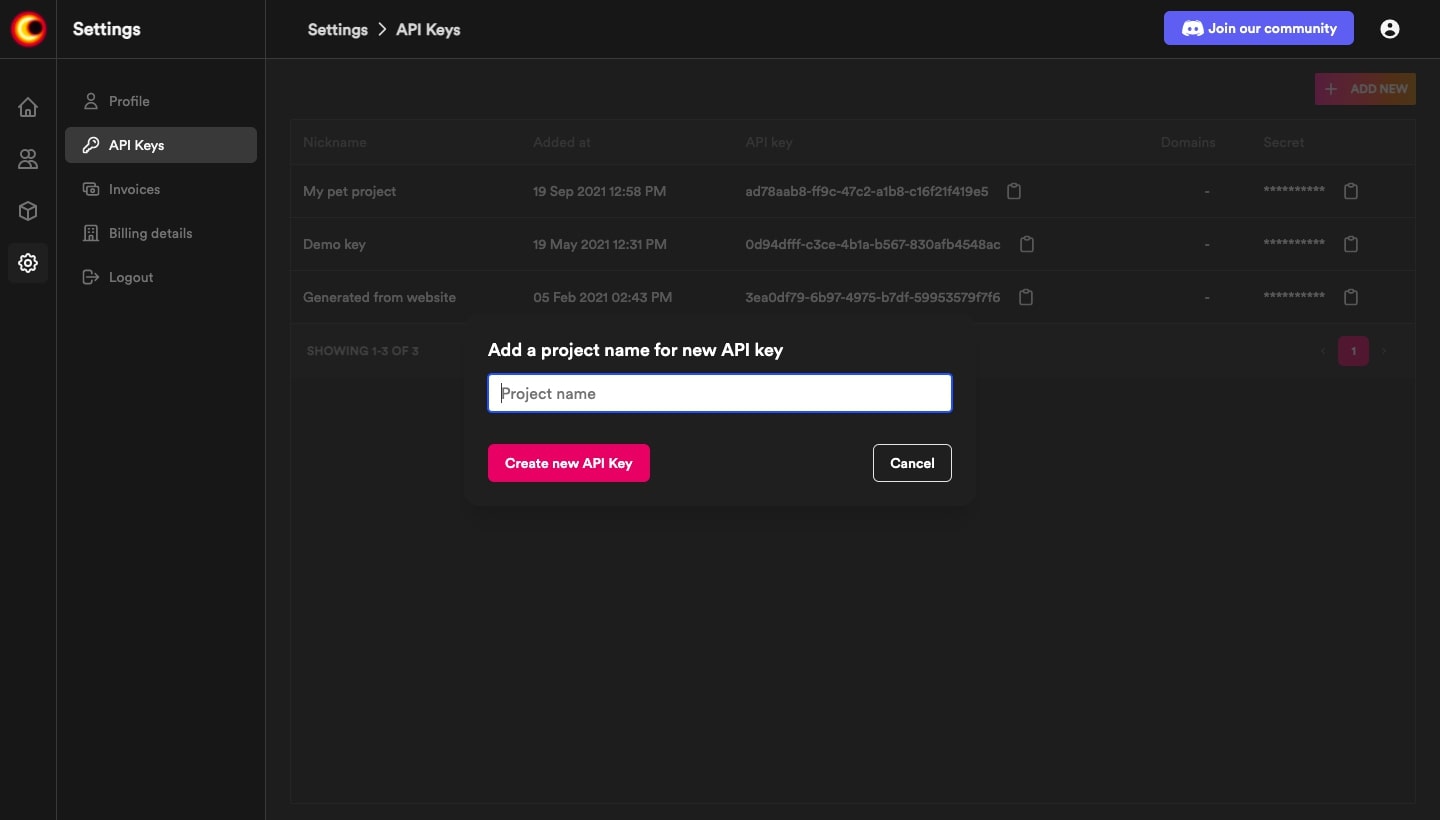
Generate API Key and Secret
Visit, app.videosdk.live to gererate API Key and secret.
Generate Access Token
For security, every participant that connects to meeting needs a access token. By substituting apikey and permissions in it.
- Node.js
- Python
- Java
- Ruby
- PHP
var jwt = require("jsonwebtoken");
var uuid4 = require("uuid4");

// Need to generate from app.videosdk.live
const API_KEY = "API_KEY_GENERATED";
const SECRET_KEY = "API_SECRET_KEY_GENERATED";

jwt.sign(
  {
    apikey: API_KEY,
    permissions: ["allow_join"], // Permission to join the meeting
  },
  SECRET_KEY,
  {
    algorithm: "HS256",
    expiresIn: "24h",
    jwtid: uuid4(),
  },
  function (err, token) {
    console.log(token);
  }
);
#!/usr/bin/env python3
import jwt
import uuid
import datetime

api_key = 'api_key_generated'
secret_key = 'secret_key_generated'


def generateToken():
    expires = 24 * 3600
    now = datetime.datetime.utcnow()
    exp = now + datetime.timedelta(seconds=expires)
    return jwt.encode(payload={
          'apikey': api_key,
          permissions: ["allow_join"]
        }, key=secret_key).decode('utf-8')

if __name__ == '__main__':
    print(generateToken())
import java.time.Instant;
import java.util.Date;
import java.util.HashMap;
import java.util.Map;
import java.util.UUID;
import io.jsonwebtoken.Jwts;
import io.jsonwebtoken.SignatureAlgorithm;

private void generateManagementToken() {
    Map<String, Object> payload = new HashMap<>();
    payload.put("apikey", "<api_key_generated>");
    payload.put("permissions", ["allow_join"]);
    String token = Jwts.builder().setClaims(payload).setId(UUID.randomUUID().toString())
        .setExpiration(new Date(System.currentTimeMillis() + 86400 * 1000))
        .setIssuedAt(Date.from(Instant.ofEpochMilli(System.currentTimeMillis() - 60000)))
        .setNotBefore(new Date(System.currentTimeMillis()))
        .signWith(SignatureAlgorithm.HS256, "<secret_key_generated>".getBytes()).compact();
  }
require 'jwt'
require 'securerandom'

$api_key = "api_key_generated"
$secret_key = "secret_key_generated"

def generateToken()
    payload = {
      apikey: $api_key,
      permissions: ["allow_join"]
    }
token = JWT.encode(payload, $secret_key, 'HS256')
return token
end

puts generateToken
<?php

use Firebase\JWT\JWT;
use Ramsey\Uuid\Uuid;

$api_key = "api_key_generated";
$secret_key = "secret_key_generated"

$payload = [
    'apikey' => api_key,
    'permissions': ["allow_join"],
];

$token = JWT::encode($payload, $secret_key, 'HS256');
?>
Available permissions are:
- allow_join: The participant will be permitted entry without request.
- ask_join: The participant will not be permitted entry without request.
- allow_mod: Allow participant to enable/disable other participant's mic/webcam.
Got a Question?  Ask us on discord

