RTMP Simulcast
The RTMP Simulcast tab lists meeting streams sent to external RTMP destinations. Use it to find a simulcast instance, review its timing and destination, and inspect the RTMP connection details.
Open RTMP Simulcast
To access the page:
- Sign in to the VideoSDK Dashboard.
- Select RTC and go to Streaming.
- Select RTMP Simulcast.
Find and Filter Simulcast Streams
Use Search to find matching RTMP Simulcast records. Select Refresh to retrieve the latest stream information.
The destination filter is labeled Designation in the dashboard. Use it to filter streams by:
- YouTube
- Other
Select one or more options and then select Apply.
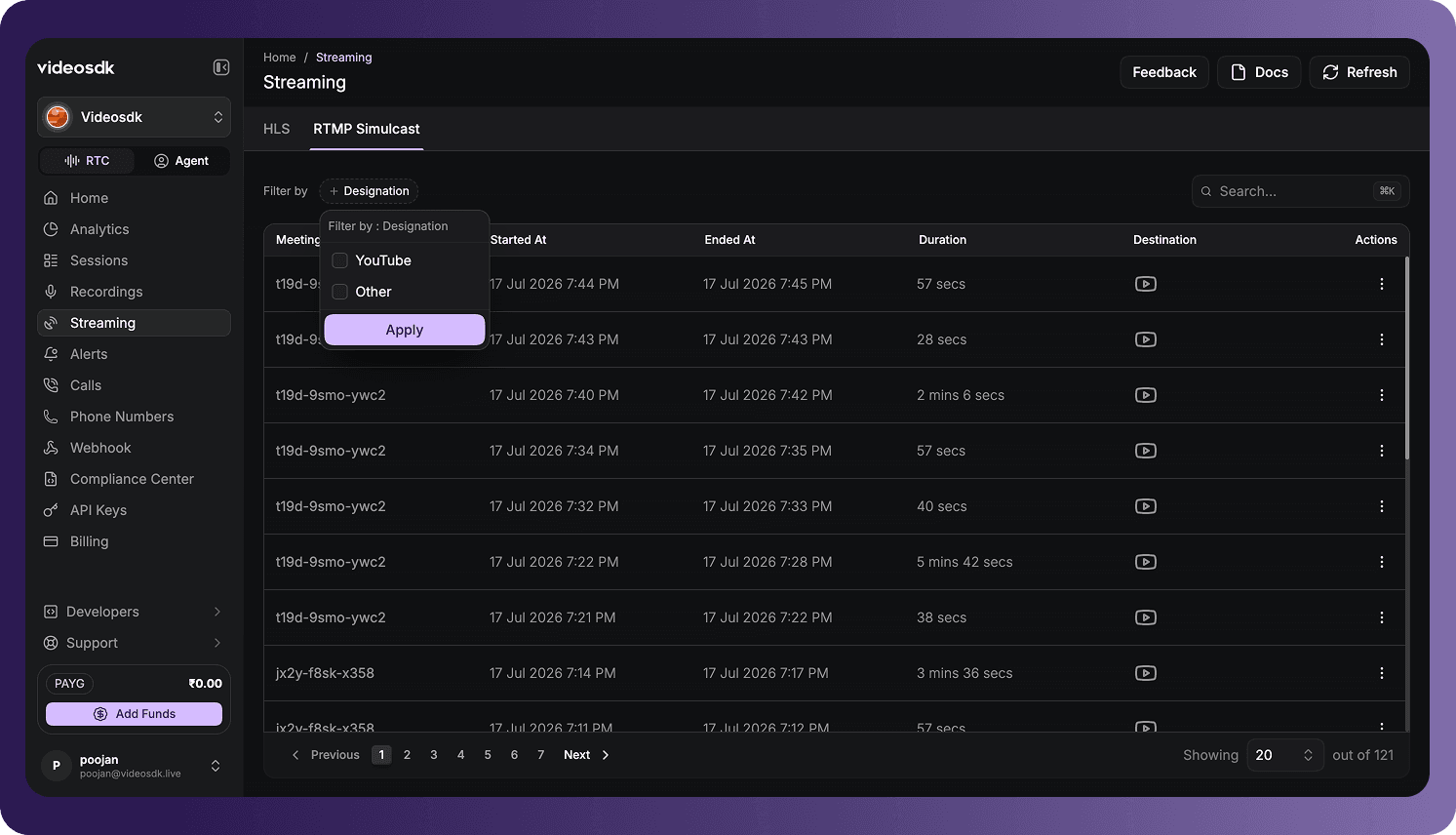
RTMP Simulcast Table
Each row represents an RTMP Simulcast instance associated with a meeting.
| Column | Description |
|---|---|
| Meeting Id | The unique ID of the meeting associated with the simulcast stream. |
| Started At | The date and time when RTMP streaming started. |
| Ended At | The date and time when RTMP streaming ended. |
| Duration | The elapsed streaming time. |
| Destination | The external destination to which the stream was sent. |
| Actions | Provides actions available for the simulcast record. |
A dash (-) indicates that an end time is not available, such as when a stream has not ended or the value was not recorded.
Open Simulcast Details
Open the three-dot menu in the Actions column and select View.
Navigate the Simulcast List
Use the controls below the table to:
- Move to the previous or next page.
- Select a specific page.
- Change the number of RTMP Simulcast records displayed per page.
The counter at the bottom of the table shows the number of displayed records and the total number of available records.
RTMP Simulcast Details
The detailed view provides the meeting and layout information recorded for the selected simulcast instance.
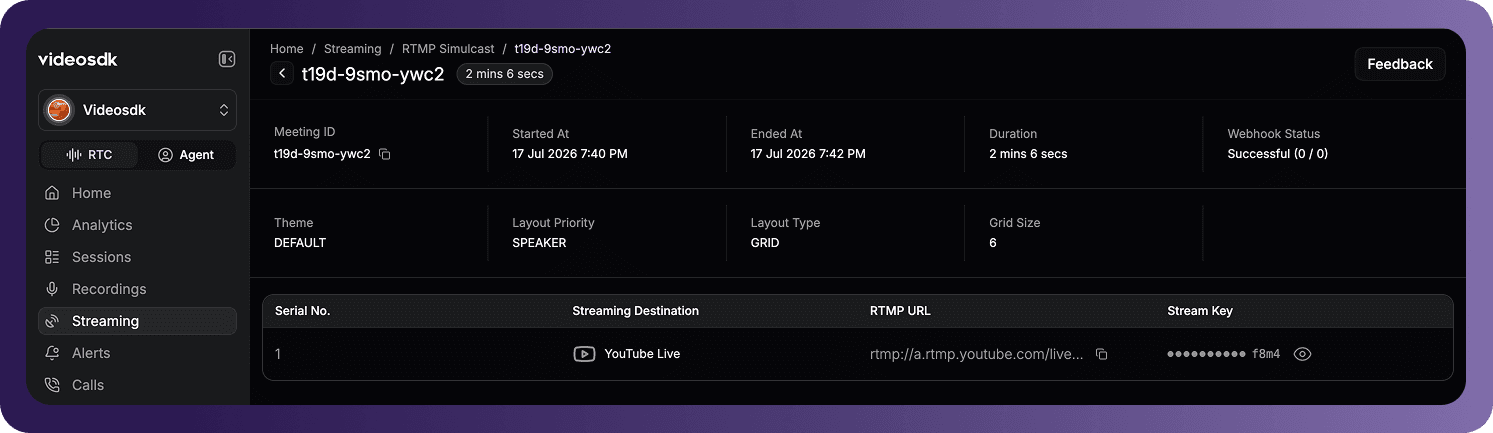
The details can include:
| Field | Description |
|---|---|
| Meeting ID | The unique ID of the meeting associated with the simulcast stream. |
| Started At | The date and time when RTMP streaming started. |
| Ended At | The date and time when RTMP streaming ended. |
| Duration | The elapsed streaming time. |
| Webhook Status | The delivery status recorded for RTMP-related webhooks. |
| Theme | The visual theme applied to the stream layout. |
| Layout Priority | The rule used to prioritize participants in the layout. |
| Layout Type | The layout used to arrange participant media, such as grid. |
| Grid Size | The configured number of positions in the grid layout. |
Use the copy icon beside the meeting ID to copy its value. Select the back arrow to return to the RTMP Simulcast list.
Streaming Destinations
The destination table lists the external endpoints configured for the simulcast stream.
| Column | Description |
|---|---|
| Serial No. | The sequence number of the configured destination. |
| Streaming Destination | The platform or custom destination receiving the stream, such as YouTube Live. |
| RTMP URL | The RTMP server URL used to send the stream. |
| Stream Key | The credential used by the destination to identify and authorize the stream. |
Use the copy icon beside an RTMP URL to copy its complete value. Stream keys are masked by default; select the eye icon to reveal a key when needed.
Treat stream keys as sensitive credentials. Do not publish or share them with anyone who should not be able to stream to the configured destination.
One simulcast instance can display multiple destination rows when it was configured to stream to more than one endpoint.
Fields, destinations, webhook information, and credentials depend on the RTMP configuration, stream state, and data available for the selected meeting.
Got a Question?  Ask us on discord

