Secure SIP
Secure SIP ensures that the signaling and media exchange during your SIP calls are encrypted using TLS (Transport Layer Security) and SRTP (Secure Real-time Transport Protocol). This prevents eavesdropping and tampering, ensuring the confidentiality and integrity of your communication.
You can enable TLS for your SIP calls by configuring the Media Encryption setting in the Inbound or Outbound gateway configuration.
Enabling TLS for SIP Calls
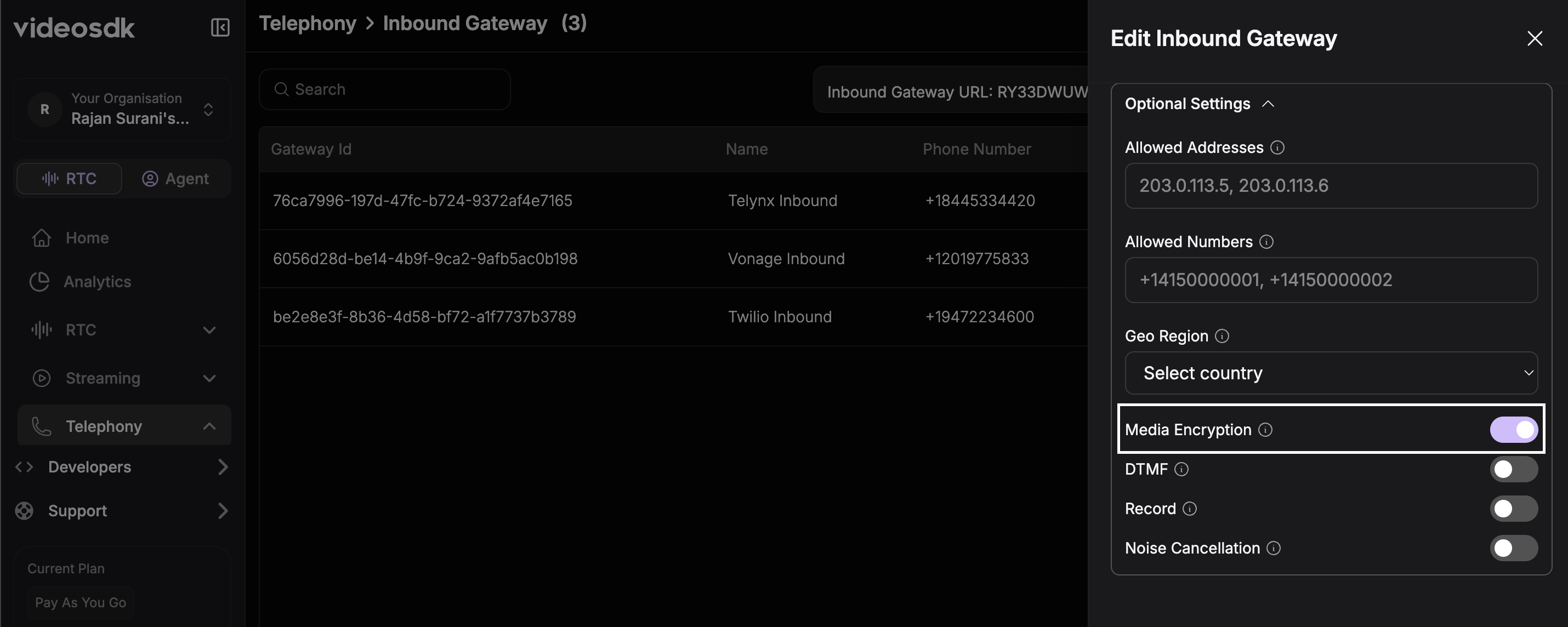
To enable TLS, you need to toggle the Media Encryption option available under the optional settings of your SIP Gateway configuration.
Inbound Gateway Configuration
- Log in to your VideoSDK Dashboard.
- Navigate to the Inbound Gateways section.
- Click on Add Inbound Gateway or edit an existing one.
- Fill in the required details.
- Under the Optional Settings section, enable the
Media Encryptiontoggle.
Outbound Gateway Configuration
- Log in to your VideoSDK Dashboard.
- Navigate to the Outbound Gateways section.
- Click on Add Outbound Gateway or edit an existing one.
- Fill in the required details.
- Under the Optional Settings section, enable the
Media Encryptiontoggle.
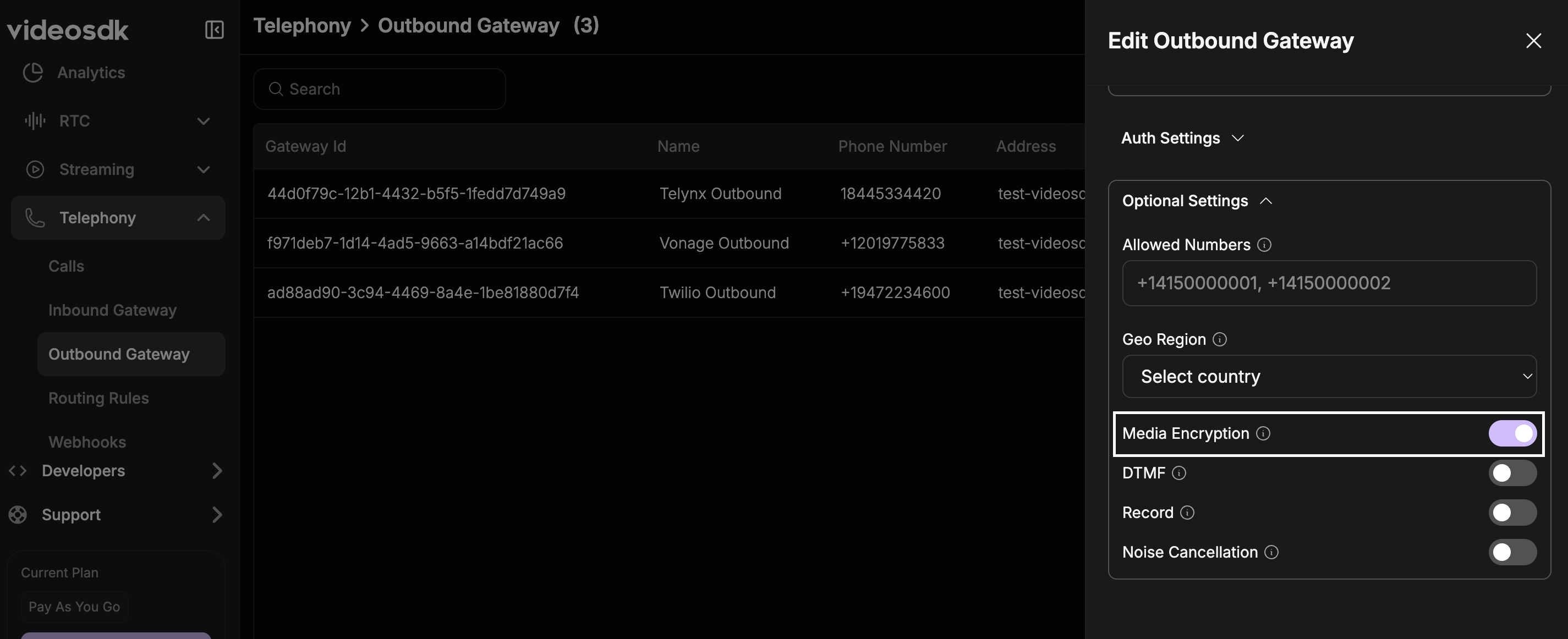
When Media Encryption is enabled, VideoSDK will expect the SIP signaling to be over TLS and the media (audio) to be encrypted using SRTP. Ensure your SIP Trunk provider supports and is configured for TLS/SRTP.
Got a Question?  Ask us on discord

